
Sequencing with Ableton’s Drum Rack
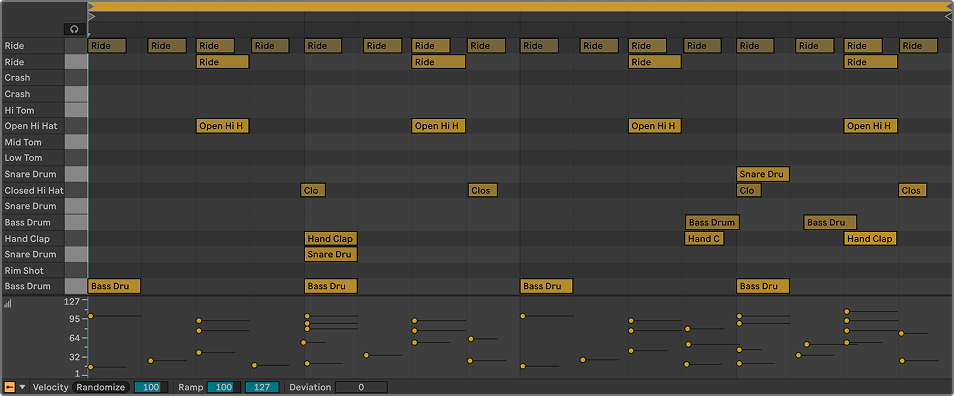
The Essential Components
A dance beat is led by a kick drum on every beat. It opens with a “smack”, followed by a deep bass tail. It keeps time, but needs the support of other percussive elements to add a sense of character and energy. These key elements include a snare, clap, tom, hi-hat, ride and crash cymbal. You can explore these elements with the adjacent buttons.
Setting up
1. Loading a Drum Rack
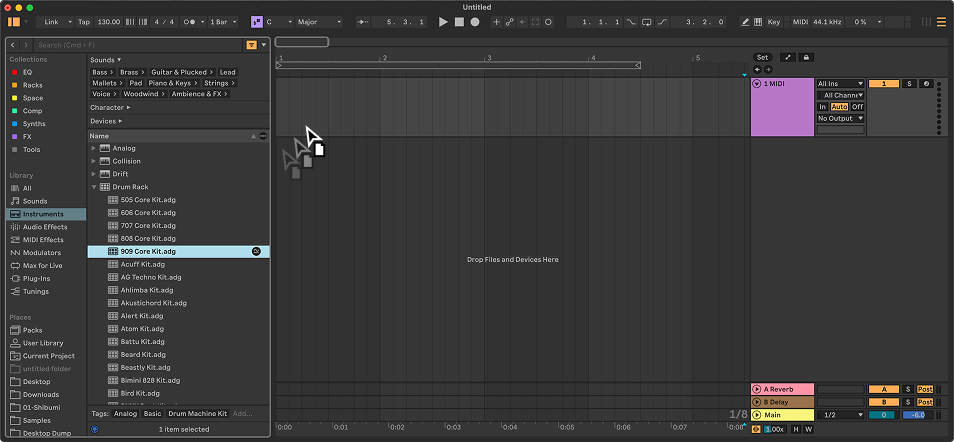
- In Ableton’s left hand column, select “Instruments” to reveal a list of options in the panel to the right.
- Press the arrow immediately to the left of “Drum Rack” to reveal a list of drum kits.
- A classic dance music kit is the 808 or 909 Core Kit. Drag one into a MIDI layer in the main project panel to reveal the Drum Rack at the bottom of the screen.
2. Creating a Clip
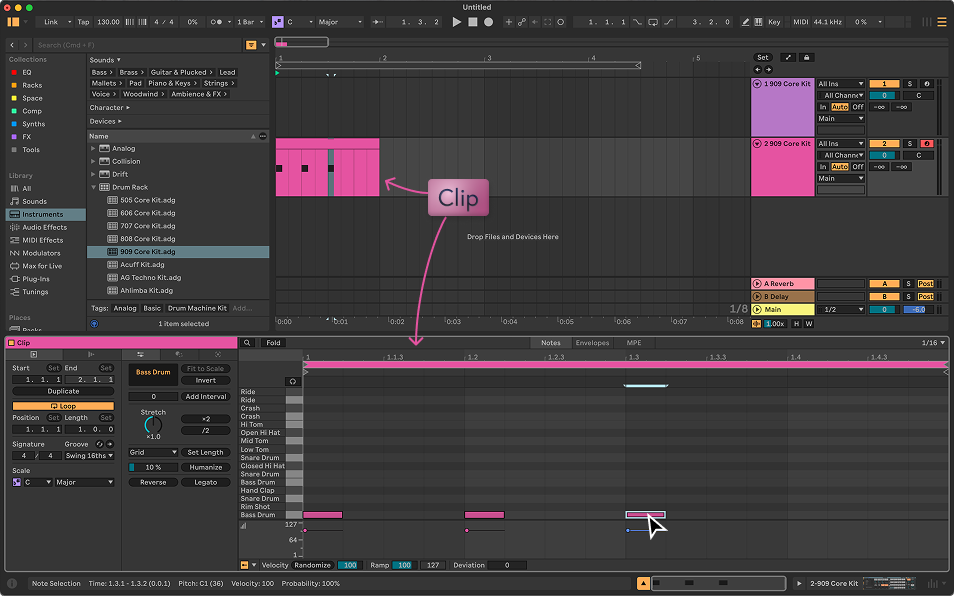
- Now your kit is set up, it’s time to tell it what to do by creating a clip.
- Double click an empty slot in the sequence area of your Drum Rack layer to create an empty clip.
- A clip editor should appear at the bottom of the screen.
More of this tutorial coming soon. Join the Shibumi newsletter to get the latest updates.